

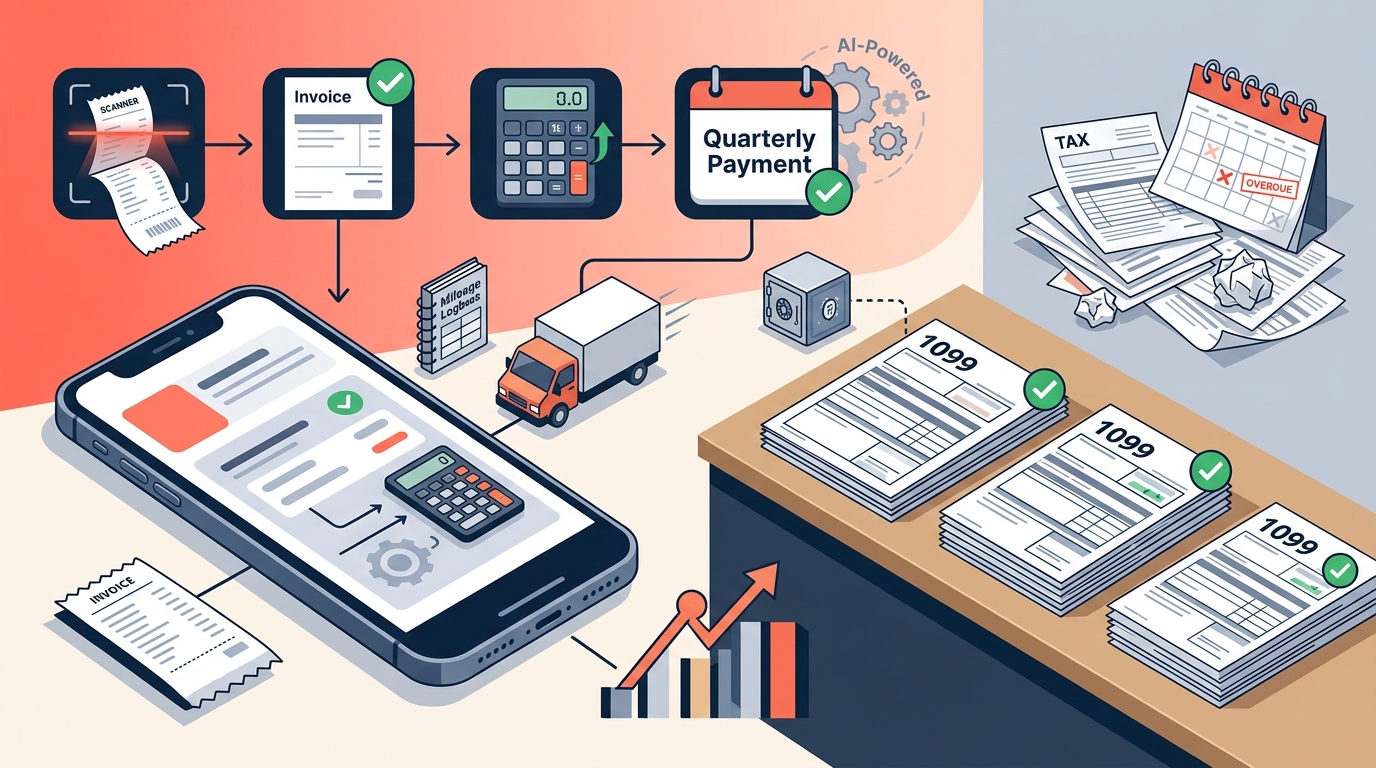
Freelancers face a complex financial landscape where the IRS expects quarterly estimated tax payments. Missing a deadline or underpaying can result in significant penalties. According to recent IRS data, underpayment penalties are a common issue for independent contractors who do not track their liabilities in real time. AI-powered tax software now automates the tracking of income and expenses, ensuring you stay compliant without the manual headache.
AI Expense Categorization
The most tedious part of freelance tax preparation is sorting through hundreds of transactions. Traditional methods rely on manual entry, which is prone to human error. AI expense categorization uses machine learning algorithms to analyze your bank statements and credit card feeds. It identifies the vendor and context of each transaction, automatically assigning it to the correct Schedule C category.
This process eliminates the need for manual data entry. You simply upload a CSV, PDF, or OFX file, or connect your bank account directly. The AI sorts transactions into categories such as office supplies, software subscriptions, and professional services. This accuracy is critical because misclassified expenses can trigger an audit or reduce your deductible amount.
For example, a purchase from a cloud hosting provider is automatically tagged as a technology expense. A dinner with a client is flagged as meals and entertainment. This real-time categorization ensures your Profit & Loss reports are always up to date. You can review these reports at any time to understand your business health. Learn more about tax planning strategies for independent contractors.
Real-Time Tax Projections
One of the biggest fears for freelancers is the April tax bill. Most workers do not know how much they owe until they file their return. AI tax software solves this by calculating your federal and state tax liability in real time. It combines your year-to-date income with your categorized deductions.
The software applies current IRS tax brackets and self-employment tax rates to your net profit. It then projects your annual tax liability based on your current earnings. This projection adjusts dynamically as you log new income or expenses. You can see exactly how much to set aside for each quarter.
This feature helps you avoid underpayment penalties. The IRS requires estimated payments to be made quarterly. SnapTax calculates the exact amount due for each deadline. It tracks what you have already paid and reminds you before the due date. This proactive approach ensures you never face a surprise bill. Avoid IRS quarterly tax penalties with accurate projections.
Mileage and Receipt Automation
Freelancers often drive for business purposes, from client meetings to supply runs. Tracking mileage manually is difficult and often inaccurate. AI-powered mileage trackers use GPS data to log your business trips automatically. It creates an IRS-compliant audit log that records the date, distance, and purpose of each trip.
Receipt management is another area where AI excels. You can snap a photo of a receipt, forward it via email, or upload it directly. Optical character recognition (OCR) extracts the vendor, amount, and date. The AI then categorizes the expense and attaches it to your tax record.
This automation saves hours of work each month. You no longer need to keep a shoebox of paper receipts. Everything is stored digitally and linked to your tax profile. This makes it easy to provide documentation if the IRS requests it. Explore asset depreciation tax deductions for your business equipment.
Depreciation Strategies
When you purchase equipment or vehicles for your business, you can deduct the cost over time. This is known as depreciation. Section 179 and bonus depreciation allow you to deduct the full cost in the year of purchase. AI tax software handles these calculations automatically.
The software identifies eligible assets and applies the correct depreciation schedule. It ensures you maximize your deductions while staying compliant with IRS rules. This is particularly useful for freelancers who invest in high-cost equipment like computers, cameras, or vehicles.
Proper depreciation tracking can significantly reduce your taxable income. It requires precise record-keeping and knowledge of tax laws. AI tools simplify this by automating the calculations and generating the necessary forms. You can export your data in TXF format for one-click import into TurboTax or other tax software. Use our 1099 tax calculator to estimate your savings.
Comparison of AI Tax Tools
Not all tax software is created equal. Some tools focus on basic tracking, while others offer advanced AI features. Here is a comparison of the key features offered by SnapTax and other common solutions.
| Feature | SnapTax | Traditional Spreadsheets | Basic Accounting Apps |
|---|---|---|---|
| AI Expense Categorization | Yes | No | Limited |
| Real-Time Tax Projections | Yes | No | No |
| GPS Mileage Tracking | Yes | No | Manual Entry |
| Quarterly Payment Reminders | Yes | No | No |
| Asset Depreciation Tracking | Yes | No | Manual Calculation |
SnapTax is built specifically for freelancers and 1099 workers. It integrates all these features into a single platform. This holistic approach ensures you have a complete picture of your tax liability. Other tools may require multiple subscriptions to achieve the same result. Learn more about SnapTax and our mission.
Key Takeaways
- AI expense categorization automates the sorting of bank transactions into Schedule C categories.
- Real-time tax projections help freelancers avoid underpayment penalties by calculating quarterly dues.
- GPS mileage tracking creates IRS-compliant audit logs for business travel.
- OCR receipt management extracts vendor and amount data automatically from photos.
- Asset depreciation tracking handles Section 179 and bonus depreciation for equipment.
- SnapTax offers plans starting at $4.99/month for manual logging and up to $39.99/month for full AI automation.
- Exporting data in TXF format allows for seamless integration with TurboTax and other software.
Frequently Asked Questions
What is SnapTax?
SnapTax is tax planning software built specifically for freelancers, gig workers, and 1099 independent contractors. It tracks income and business expenses throughout the year and calculates a real-time federal and state tax estimate.
How does AI categorize my expenses?
AI categorization uses machine learning to analyze your bank statements. It identifies vendors and transaction types, automatically assigning them to the correct tax category. This reduces manual entry and errors.
Can SnapTax help with quarterly tax payments?
Yes. SnapTax calculates your estimated quarterly payment based on your current income and deductions. It tracks what you have paid and reminds you of upcoming deadlines to avoid penalties.
Is SnapTax suitable for all freelancers?
SnapTax is designed for independent contractors, consultants, real estate agents, and small business owners filing Schedule C. If you receive 1099-NEC or 1099-K income, it is an ideal tool.
How does SnapTax handle asset depreciation?
SnapTax automatically tracks Section 179 and bonus depreciation for equipment and vehicles. It calculates the deductible amount and includes it in your tax projections.
Can I export my data to TurboTax?
Yes. SnapTax allows you to export your Schedule C data in TXF format. This enables one-click import into TurboTax and other popular tax software.
What is the cost of SnapTax?
SnapTax offers three plans. The Starter plan is free for 30 days, then $4.99/month. The Builder plan is $19.99/month, and the Optimizer plan is $39.99/month.
Get Started Today
Take control of your freelance taxes with AI-powered precision. Stop guessing and start tracking. Book a demo of SnapTax today and see how easy tax planning can be. Visit our contact page for support.