

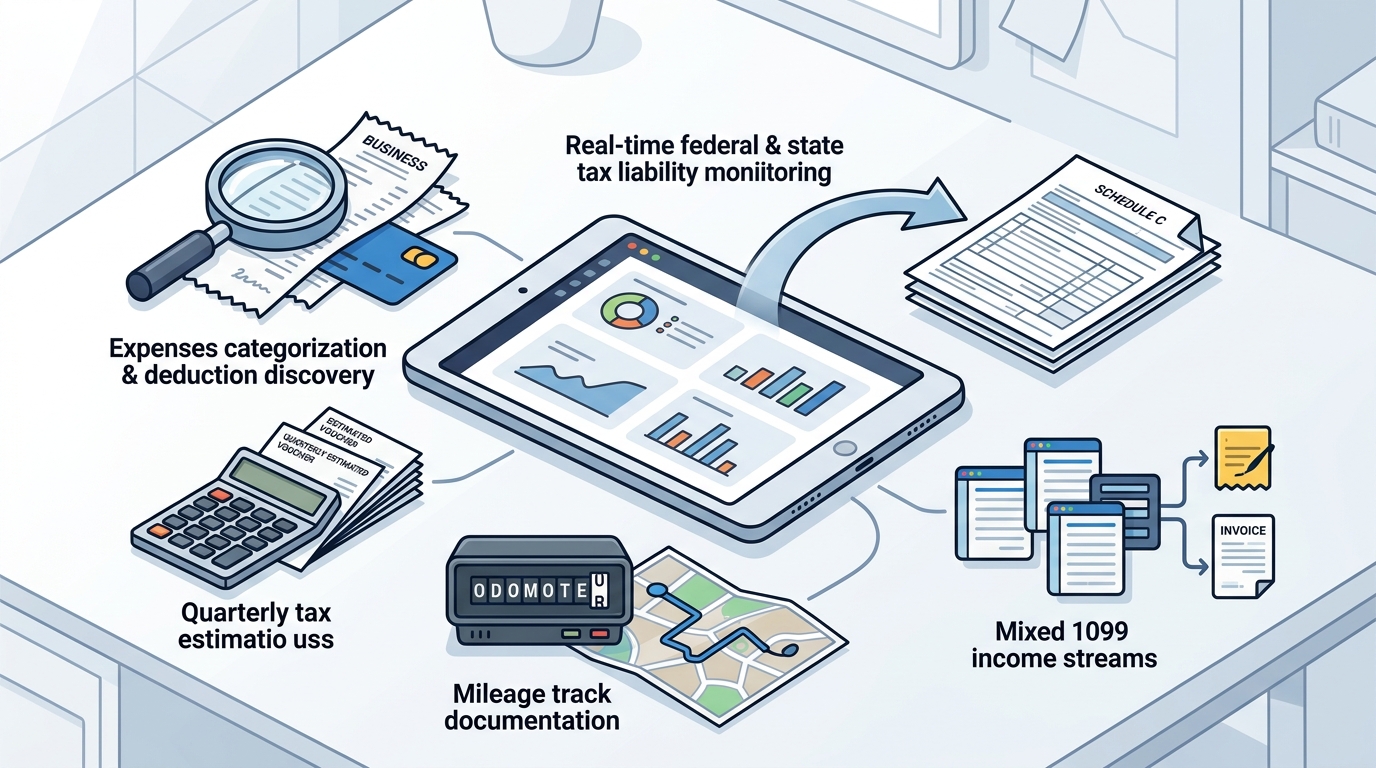
Choosing the right tax planning app for freelancers requires looking beyond basic receipt storage. You need tools that handle the unique complexities of 1099 income, such as quarterly estimates and mixed income streams. SnapTax is designed specifically for this ecosystem, providing a real-time picture of your federal and state tax liability. This guide covers the essential features you must evaluate, including expense categorization, quarterly payment tracking, mileage documentation, deduction discovery, Schedule C mapping, and mixed income handling.
Expense Categorization
Manual data entry is the primary reason freelancers abandon tax software. A robust tax planning app must automate the sorting of transactions into accurate business categories. Expense categorization is the process of assigning financial transactions to specific accounting buckets, such as software subscriptions, travel, or professional development. Without accurate categorization, your profit and loss statement will be unreliable, leading to incorrect tax estimates.
AI-Driven Sorting
Modern tools use artificial intelligence to analyze bank statements and credit card transactions. When you upload a CSV or PDF statement, the system should identify vendors and assign them to Schedule C categories automatically. For example, a charge from a cloud storage provider should be tagged as "Software" or "Computer and Internet" expenses. This automation saves hours of manual work each month.
Custom Category Management
While AI handles the heavy lifting, you need the ability to override or adjust categories. Some expenses may be ambiguous, such as a home office internet bill that is partially personal. The best apps allow you to edit these assignments and save rules for future transactions. SnapTax offers AI expense categorization that sorts transactions into Schedule C categories, ensuring your data is ready for analysis without constant manual intervention.
Quarterly Payment Tracking
The IRS expects freelancers to estimate and pay their own taxes four times a year. Missing a deadline results in interest and penalties, while underpaying can lead to an underpayment penalty when you file in April. Quarterly payment tracking is a feature that calculates your estimated tax liability based on year-to-date income and projects your total annual tax owed. This feature is critical because it transforms tax planning from a reactive April chore into a proactive, year-round routine.
Real-Time Liability Projections
A static calculator is not enough. You need a dynamic tool that updates your tax estimate as you log new income or expenses. The app should use current IRS tax brackets, self-employment tax rates, and standard deductions for your state. By providing a real-time picture of your federal and state tax liability, the software helps you determine exactly how much to set aside each month. This prevents the common scenario where a freelancer spends their tax money and then struggles to pay the IRS in April.
Deadline Reminders and Dashboards
Knowing what to pay is only half the battle. You must also know when to pay it. A comprehensive dashboard should display all four IRS deadlines for the year, highlighting upcoming due dates. Email reminders and in-app notifications ensure you never miss a payment window. SnapTax provides a quarterly payments dashboard that shows your estimated payment, due date, and projected annual tax owed, keeping you compliant throughout the year.
Mileage Documentation
For many freelancers, travel is a significant business expense. However, the IRS requires proper documentation to support the deduction. Mileage documentation is the practice of recording the date, destination, purpose, and distance of every business trip. Without this record, you cannot claim the standard mileage deduction, even if you drove thousands of miles for work. The IRS may disallow the deduction during an audit if you cannot prove the business use of your vehicle.
The 2026 Standard Mileage Rate
The IRS announces the standard mileage rate each year. For the 2026 tax year, the applicable rate is 72.5 cents per mile. This rate covers the costs of operating your vehicle, including gas, oil, tires, and maintenance. To claim this deduction, you must multiply your total business miles by the 72.5 cents rate. Proper documentation is not optional; it is a requirement for claiming this deduction. If you cannot document the business purpose of a trip, you cannot deduct the miles.
Audit-Ready Logs
Deduction Discovery
Freelancers often miss deductions because they are unaware of what qualifies. Deduction discovery is a feature that analyzes your expenses and income to identify potential tax benefits you may have overlooked. This goes beyond simple categorization; it involves applying tax rules to your specific financial data to find opportunities for reducing your taxable income. For example, the app might identify that your home office qualifies for a deduction or that your equipment purchases qualify for Section 179 expensing.
Advanced Deduction Tracking
Basic apps track simple expenses like software or travel. Advanced tools track complex deductions such as the Qualified Business Income (QBI) deduction, home office expenses, and retirement contributions. These deductions require specific calculations and eligibility checks. By tracking these items in real-time, the app can show you how these deductions impact your overall tax liability. SnapTax's Optimizer plan unlocks tracking for itemized deductions, QBI, home office, retirement, and capital gains, providing a comprehensive view of your tax position.
Year-End Optimization
Deduction discovery is most powerful when used proactively. If the app shows you are close to a tax bracket threshold, it can suggest strategies to lower your income or increase your deductions before year-end. This proactive approach allows you to make informed financial decisions throughout the year, rather than trying to fix problems in April. By identifying these opportunities early, you can optimize your tax position and potentially reduce your overall liability.
Schedule C Mapping
Most freelancers file Schedule C with their individual tax return. Schedule C mapping is the process of aligning your tracked expenses and income with the specific line items on IRS Form 1040, Schedule C. This ensures that your data is structured correctly for tax filing. If your app does not map to Schedule C, you will have to manually transfer data to your tax filing software, which is time-consuming and error-prone.
Direct Export to Tax Software
The best tax planning apps integrate directly with popular tax filing software. This means you can export your Schedule C data in a standard format, such as TXF, for one-click import. This eliminates the need for manual data entry and reduces the risk of errors. SnapTax offers a TurboTax export feature that allows you to export your Schedule C data in TXF format, ensuring a seamless transition from planning to filing.
Profit and Loss Reports
In addition to Schedule C mapping, the app should generate monthly and annual Profit and Loss (P&L) reports. These reports provide a clear view of your business's financial performance. They are useful not only for tax filing but also for making business decisions, such as pricing your services or managing cash flow. By providing P&L reports ready for your CPA or tax software, the app serves as a complete financial management tool for your freelance business.
Mileage Tracking
While mileage documentation focuses on the audit trail, mileage tracking refers to the real-time capture of your driving data. This feature uses your smartphone's GPS to automatically record your trips. It distinguishes between business and personal miles, allowing you to claim only the business portion of your driving. This automation is crucial for accuracy and convenience, as manual logging is often forgotten or done incorrectly.
Automatic Trip Detection
Modern mileage trackers use algorithms to detect when you start and stop a trip. They can automatically categorize trips as business or personal based on your settings or past behavior. For example, if you frequently drive to a specific client location, the app may automatically tag those trips as business. This reduces the manual effort required to maintain your mileage log. SnapTax's mileage tracker uses GPS-based tracking to capture your business miles accurately, ensuring you do not miss any deductible trips.
Integration with Expense Tracking
Mileage tracking should be integrated with your overall expense tracking. This means that your mileage deduction is calculated automatically and included in your total expense report. It should also be reflected in your real-time tax estimate. By integrating mileage with other features, the app provides a holistic view of your tax liability. This integration ensures that your mileage deduction is accounted for in your quarterly payment calculations, helping you set aside the correct amount of money.
Mixed Income Handling
Many freelancers have multiple income streams, such as 1099-NEC, 1099-K, W-2, or even investment income. Mixed income handling is the ability of a tax app to track and categorize different types of income separately. This is important because different income types are taxed differently. For example, 1099 income is subject to self-employment tax, while W-2 income is not. If your app does not handle mixed income correctly, your tax estimate will be inaccurate.
Separate Tracking for Different Income Types
A robust tax planning app should allow you to create separate profiles or categories for different income sources. This allows you to track your 1099 income separately from your W-2 income or other sources. The app should then calculate your tax liability for each income type according to IRS rules. This separation ensures that you are not overpaying or underpaying your taxes. SnapTax is built for independent contractors, gig workers, and freelancers who receive 1099-NEC or 1099-K income, ensuring that your specific income types are handled correctly.
Consolidated Tax View
While tracking income separately, the app should also provide a consolidated view of your total tax liability. This gives you a clear picture of your overall tax position, taking into account all your income sources and deductions. This consolidated view is essential for planning your quarterly payments and managing your cash flow. By providing both separate and consolidated views, the app helps you understand how your different income streams impact your total tax bill.
Comparison of Key Features
| Expense Categorization | Manual entry only | AI-driven automatic sorting |
| Quarterly Tracking | Static calculator | Real-time dynamic projections |
| Mileage Tracking | Manual log | GPS-based automatic tracking |
| Deduction Discovery | Basic expense list | Advanced deductions (QBI, Home Office) |
| Schedule C Mapping | CSV export | Direct TXF export to tax software |
| Mixed Income | Single income bucket | Separate tracking for 1099, W-2, etc. |
Key Takeaways
- Automate Expense Categorization: Use AI-driven tools to sort transactions into Schedule C categories automatically, saving time and reducing errors.
- Track Quarterly Payments in Real-Time: Dynamic projections based on current IRS rates help you set aside the correct amount of money each month.
- Document Mileage for the 2026 Rate: Use GPS-based tracking to log business miles, supporting the 72.5 cents per mile standard deduction.
- Discover Hidden Deductions: Look for features that identify advanced deductions like QBI, home office, and retirement contributions.
- Map to Schedule C: Ensure your app exports data in a format compatible with your tax filing software, such as TXF.
- Handle Mixed Income: Track different income types (1099, W-2) separately to ensure accurate tax calculations.
Frequently Asked Questions
What is the standard mileage rate for 2026?
The standard mileage rate for 2026 is 72.5 cents per mile. This rate is used to calculate the deduction for business miles driven.
Do I need to document my mileage to claim the deduction?
Yes, the IRS requires proper documentation of business mileage, including date, destination, purpose, and distance, to support the deduction.
How does AI expense categorization work?
AI analyzes your bank statements and credit card transactions to automatically assign them to the correct Schedule C categories.
Can a tax planning app replace my CPA?
No, tax planning software is not a substitute for professional tax advice. It helps you estimate your liability and plan payments, but you should consult a qualified tax professional for personalized guidance.
What is Schedule C mapping?
Schedule C mapping is the process of aligning your tracked expenses and income with the specific line items on IRS Form 1040, Schedule C.
How does mixed income handling work?
Mixed income handling allows you to track different types of income, such as 1099 and W-2, separately to ensure accurate tax calculations.
Is SnapTax a tax filing service?
No, SnapTax is a tax planning and estimation tool. It is not a tax filing service or a substitute for professional tax advice.