

Freelancers and independent contractors face a unique financial burden that traditional employees do not. The IRS expects you to estimate and pay your own taxes four times a year. If you miss a deadline, you will owe interest and penalties. Underpaying can lead to significant underpayment penalties when you file in April. Most freelancers find out too late that they have under-saved for taxes. This article explains how an all-in-one tax planning tool eliminates this guesswork.
What is SnapTax and Why Do You Need It?
SnapTax is tax planning software built specifically for freelancers, gig workers, and 1099 independent contractors. It tracks income and business expenses throughout the year and calculates a real-time federal and state tax estimate. This includes self-employment tax, so users always know what to set aside before each quarterly payment deadline. The platform replaces the spreadsheets, shoebox receipts, and guesswork most freelancers rely on.
Traditional tax preparation is often a reactive process. You wait until April to figure out what you owe. SnapTax shifts this to a proactive model. By entering your income and deductions, the software calculates your estimated quarterly payment, due date, and projected annual tax owed. It uses the latest IRS tax brackets, self-employment tax rates, and standard deductions for all 50 states. This ensures your financial planning is always current.
The freelancer tax problem is not just about complexity. It is about timing. If you earn 1099 income, the IRS expects you to estimate and pay your own taxes four times a year. SnapTax helps you avoid the stress of missing these deadlines. You can avoid IRS quarterly tax penalties by staying on top of your payments throughout the year. This proactive approach protects your cash flow and prevents unexpected financial shocks.
Core Features of an All-in-One Tax Platform
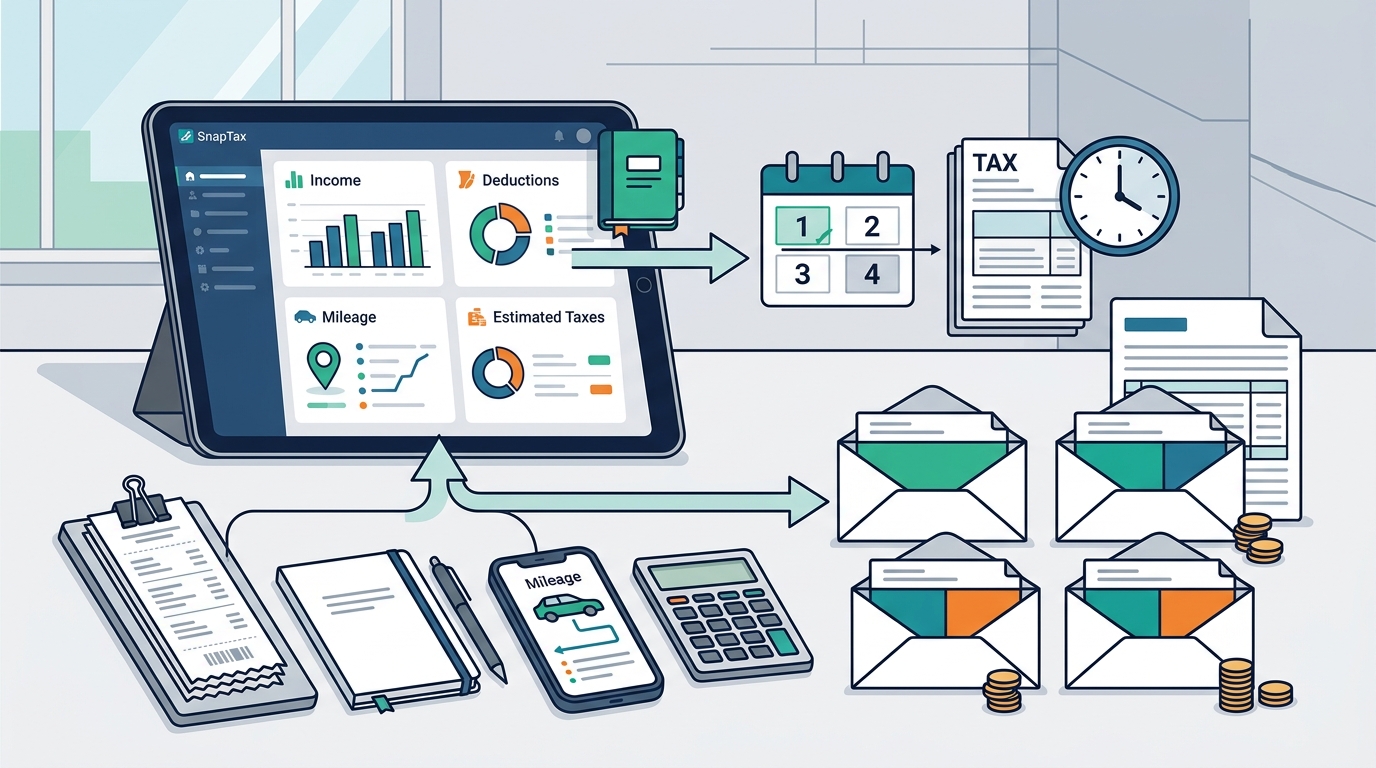
An effective all-in-one solution must handle more than just calculations. It must manage the data that feeds those calculations. SnapTax integrates several critical tools into a single dashboard. This consolidation saves time and reduces the risk of errors.
Quarterly Tax Estimates
Real-time federal and state tax projections are based on current IRS tables. This feature gives you a clear picture of your liability at any moment. You do not need to wait for year-end to know your financial position. The quarterly payments dashboard tracks what you have already paid. It keeps a full payment history so April holds no surprises.
AI Expense Categorization
Manual data entry is a major pain point for freelancers. SnapTax solves this with AI expense categorization. You can upload bank statements in CSV, PDF, or OFX formats. The AI sorts transactions into Schedule C categories automatically. This feature is available in the Builder plan and above. It ensures your deductions are accurate and compliant.
Mileage and Receipt Tracking
Business mileage is a significant deduction for many independent contractors. SnapTax includes a GPS-based mileage tracker with IRS-compliant audit logs. You can also manage receipts by snapping photos, emailing them, or uploading files. OCR technology extracts the vendor, amount, and date automatically. This eliminates the need for physical shoeboxes of paper.
Asset Depreciation Tracking
For freelancers who purchase equipment or vehicles, asset depreciation is crucial. SnapTax handles Section 179 and bonus depreciation automatically. This feature is detailed further in our guide on asset depreciation tax deductions for freelancers. The software ensures you maximize your write-offs without complex manual calculations.
Profit and Loss Reports
Monthly and annual P&L statements are ready for your CPA or TurboTax. These reports provide a clear view of your business health. They help you make informed decisions about pricing and expenses. The data is structured to simplify the final tax filing process.
TurboTax Export
When tax season arrives, you need a seamless transition. SnapTax allows you to export your Schedule C data in TXF format. This enables one-click import into TurboTax. This feature bridges the gap between ongoing tax planning and final filing.
Pricing Plans and Feature Breakdown
SnapTax offers four plans with no contracts and no setup fees. This flexibility allows you to choose the level of automation that fits your business size. The following table compares the available options.
| Plan Name | Monthly Cost | Key Features | Best For |
|---|---|---|---|
| Free | $0 | Quarterly tax estimates, Tax Profile, IRS deadlines, email reminders | Beginners with simple income |
| Starter | $4.99 | Monthly tracking, savings goals, TurboTax export | Freelancers needing basic automation |
| Builder | $19.99 | Bank uploads, AI categorization, P&L, asset tracker, mileage | Growing businesses with complex expenses |
| Optimizer | $39.99 | Itemized deductions, QBI, home office, retirement, capital gains | High-income earners and consultants |
Paid plans start with a 30-day free trial. This allows you to test the full power of the platform before committing. You can preview the app to see how it handles your specific data.
How the System Calculates Your Liability
Understanding the calculation engine is vital for trust. SnapTax combines your year-to-date income and deductions with a projection for the rest of the year. It then applies current federal brackets, the 15.3% self-employment tax, and your state's rates. This shows exactly what you owe and what to set aside.
The process follows a simple three-step routine that takes minutes a week:
- Track what comes in and goes out. Log income as it lands and record business expenses as they happen. You can do this manually, by uploading a bank statement, by snapping a receipt photo, or by forwarding receipts by email. Builder plans and above categorize bank transactions automatically using AI trained on Schedule C categories.
- See your real-time tax estimate. SnapTax combines your year-to-date income and deductions with a projection for the rest of the year. It applies current federal brackets, the 15.3% self-employment tax, and your state's rates to show exactly what you owe and what to set aside.
- Pay each quarter with confidence. Before every IRS estimated-payment deadline, SnapTax shows the amount due. It tracks what you have already paid and keeps a full payment history so April holds no surprises.
This workflow ensures you are always prepared. You do not need to hire a CPA for every minor adjustment. The software handles the math, allowing you to focus on your work.
Key Takeaways
- SnapTax is designed for 1099 workers, gig economy participants, and independent contractors.
- The platform provides real-time federal and state tax liability estimates throughout the year.
- AI-powered expense categorization reduces manual data entry and improves accuracy.
- GPS mileage tracking includes IRS-compliant audit logs for maximum deduction safety.
- Asset depreciation for Section 179 and bonus items is handled automatically.
- TurboTax export in TXF format simplifies the final filing process.
- Plans range from free to $39.99/month, with a 30-day free trial on paid tiers.
Frequently Asked Questions
What is SnapTax?
SnapTax is tax planning software built specifically for freelancers, gig workers, and 1099 independent contractors. It tracks income and business expenses throughout the year and calculates a real-time federal and state tax estimate. This includes self-employment tax, so users always know what to set aside before each quarterly payment deadline.
How does SnapTax calculate what I owe?
SnapTax combines actual year-to-date income and deductions with a projection for the rest of the year. It applies current federal brackets, the 15.3% self-employment tax, and your state's rates to show exactly what you owe and what to set aside.
Who is SnapTax for?
SnapTax is built for independent contractors, gig workers, freelancers, consultants, real estate agents, rideshare drivers, content creators, and small business owners filing Schedule C. If you receive 1099-NEC or 1099-K income, SnapTax keeps you tax-ready year-round.
Can I export my data to TurboTax?
Yes. SnapTax allows you to export your Schedule C data in TXF format. This enables one-click import into TurboTax, making the final filing process seamless.
Does SnapTax track mileage?
Yes. SnapTax includes a GPS-based business mileage tracker. It generates IRS-compliant audit logs to support your deductions in case of an audit.
Is there a free plan available?
Yes. The Free plan is $0 forever. It includes quarterly tax estimates, a saved Tax Profile, all four IRS deadlines, the quarterly payments dashboard, and email reminders.
How does AI categorization work?
Builder plans and above allow you to upload bank statements. The AI sorts transactions into Schedule C categories automatically. This reduces the need for manual entry and ensures consistency.
What is the Optimizer plan?
The Optimizer plan is available in beta for $39.99/month. It unlocks itemized deductions, QBI, home office, retirement, and capital gains tracking. It is designed for high-income earners with complex tax situations.
Get Started Today
Stop guessing your tax liability. Start planning with confidence. SnapTax provides the all-in-one solution you need to manage your finances effectively. You can visit the SnapTax homepage to begin your free trial. Take control of your financial future today.