

Freelancers and independent contractors face a complex financial landscape where the IRS expects quarterly estimated tax payments. Missing these deadlines or underpaying can result in significant penalties and interest. According to recent IRS data, underpayment penalties are a common issue for self-employed individuals who do not track their liabilities in real time. This guide explains how artificial intelligence streamlines this process, ensuring you stay compliant and maximize your deductions.
AI-Powered Expense Categorization
The most time-consuming aspect of freelance tax preparation is sorting through bank statements and receipts. Traditional methods rely on manual entry, which is prone to human error and fatigue. AI expense categorization solves this by automatically sorting transactions into Schedule C categories.
When you upload bank statements in CSV, PDF, or OFX formats, the AI engine analyzes each transaction. It identifies vendors and amounts to determine if an expense is business-related. For example, a purchase from a software vendor is automatically tagged as a technology expense, while a coffee shop visit might be categorized as meals and entertainment. This automation ensures that your Profit & Loss reports are accurate throughout the year, not just at tax time.
By automating this process, you eliminate the need for spreadsheets and shoebox receipts. The system learns from your corrections, becoming more accurate over time. This level of precision is critical for identifying every possible deduction before the IRS audit deadline.
Real-Time Tax Liability Projections
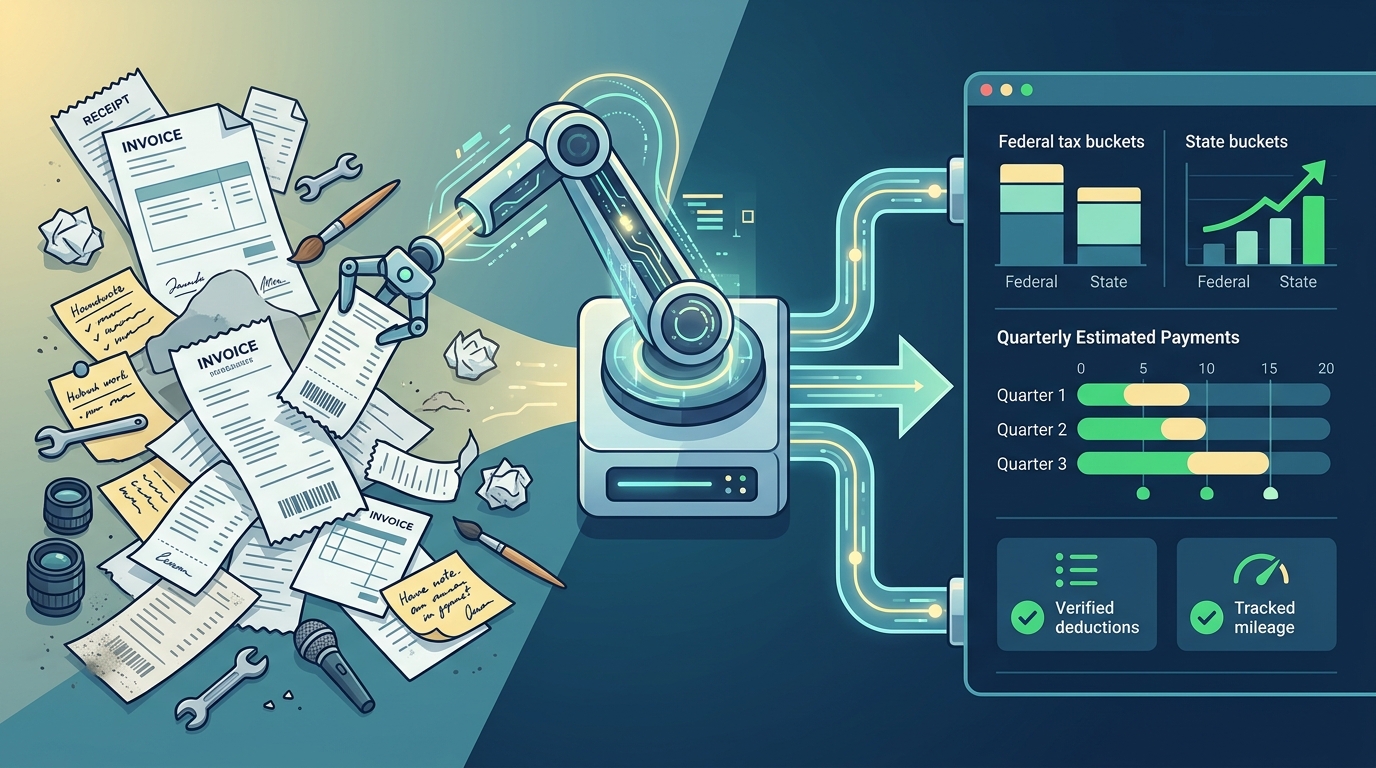
One of the biggest challenges for 1099 workers is knowing exactly how much to set aside for taxes. Unlike W-2 employees, where taxes are withheld automatically, freelancers must estimate their own liability. SnapTax provides a real-time picture of your federal and state tax liability.
The software combines your year-to-date income and deductions with projection methods such as Flat Growth, Growth Adjusted, or Month-to-Month seasonal projections. It then applies current federal brackets, the 15.3% self-employment tax, and your state's specific rates. This calculation gives you a precise amount to save, preventing the common mistake of under-saving.
According to financial experts, freelancers who track their taxes quarterly are less likely to face cash flow crises in April. By seeing your projected annual tax owed, you can adjust your spending or income strategies mid-year. This proactive approach transforms tax preparation from a stressful annual event into a manageable monthly routine.
Automated Mileage and Receipt Tracking
Mileage and receipts are two of the most significant deductions for freelancers, yet they are also the most difficult to track accurately. GPS-based business mileage tracking with IRS-compliant audit logs ensures that every mile driven for business is recorded.
SnapTax allows you to snap photos of receipts or forward them via email. Optical Character Recognition (OCR) technology extracts the vendor, amount, and date automatically. This eliminates the guesswork of estimating mileage or losing paper receipts. The system maintains a detailed log that stands up to IRS scrutiny, providing the evidence needed to support your deductions.
For rideshare drivers, real estate agents, and consultants, accurate mileage tracking can save thousands of dollars annually. The AI ensures that personal and business miles are clearly separated, reducing the risk of audit flags. This level of detail is impossible to achieve manually without significant effort.
Smart Asset Depreciation Management
Freelancers often purchase equipment and vehicles that can be depreciated for tax purposes. Managing Section 179 and bonus depreciation requires careful calculation and timing. SnapTax handles these complex calculations automatically.
The asset depreciation tracker monitors your equipment purchases and applies the correct depreciation schedules. This ensures you maximize your deductions in the year of purchase, rather than spreading them out unnecessarily. For example, if you buy a new laptop or vehicle for your business, the software calculates the immediate deduction available under current tax laws.
Understanding these rules is crucial for minimizing your taxable income. The AI engine stays updated with the latest IRS regulations, ensuring that your depreciation claims are compliant and optimized. This feature is particularly valuable for freelancers who invest heavily in their business infrastructure.
Quarterly Payment Scheduling and Alerts
The IRS requires estimated tax payments four times a year. Missing these deadlines results in penalties that can add up quickly. SnapTax tracks what you have already paid and shows the amount due before every deadline.
The software provides clear alerts and payment history, so you never miss a due date. This proactive scheduling helps you manage your cash flow effectively. By knowing exactly what to pay and when, you can avoid the stress of last-minute payments and the associated penalties.
According to tax professionals, consistent quarterly payments are the best way to avoid underpayment penalties. SnapTax simplifies this process by integrating your income and expense data directly into the payment calculation. This ensures that your payments are accurate and timely, keeping you in good standing with the IRS.
Seamless TurboTax Export Integration
When tax season arrives, the goal is to file quickly and accurately. SnapTax allows you to export your Schedule C data in TXF format for one-click import into TurboTax. This eliminates the need to re-enter data manually, saving hours of work.
The export feature ensures that all your categorized expenses, mileage, and depreciation data are transferred seamlessly. This integration reduces the risk of errors during the transfer process. It also allows you to work with your CPA more efficiently, as they can import the data directly into their systems.
For freelancers who prefer to file their own taxes, this export feature provides a smooth transition from tracking to filing. It ensures that your hard work in tracking expenses throughout the year is fully utilized in your final tax return.
Key Takeaways
- AI Categorization: Automatically sorts bank transactions into Schedule C categories, reducing manual entry errors.
- Real-Time Projections: Provides accurate federal and state tax estimates using current IRS brackets and self-employment tax rates.
- Mileage Tracking: GPS-based tracking with IRS-compliant audit logs ensures accurate deduction of business miles.
- Asset Depreciation: Automatically calculates Section 179 and bonus depreciation for equipment and vehicles.
- Quarterly Alerts: Tracks payments and sends alerts to help you avoid IRS underpayment penalties.
- TurboTax Export: Exports Schedule C data in TXF format for seamless integration with TurboTax.
- Cost-Effective: Plans start at $4.99/month, offering significant savings compared to traditional accounting services.
Frequently Asked Questions
What is SnapTax?
SnapTax is tax planning software built specifically for freelancers, gig workers, and 1099 independent contractors. It tracks income and business expenses throughout the year and calculates a real-time federal and state tax estimate, including self-employment tax, so users always know what to set aside before each quarterly payment deadline.
How does SnapTax calculate what I owe?
SnapTax combines actual year-to-date income and expenses with one of three projection methods for the remaining months: Flat Growth, Growth Adjusted, or Month-to-Month seasonal projections. It then applies current federal and state tax tables to determine your liability.
Does SnapTax handle mileage tracking?
Yes, SnapTax includes a GPS-based business mileage tracker with IRS-compliant audit logs. This feature automatically records business miles, ensuring you capture all eligible deductions without manual effort.
Can I export my data to TurboTax?
Yes, SnapTax allows you to export your Schedule C data in TXF format. This enables a one-click import into TurboTax, streamlining the filing process and reducing the risk of data entry errors.
What plans are available for freelancers?
SnapTax offers three plans: Starter ($4.99/month), Builder ($19.99/month), and Optimizer ($39.99/month). The Starter plan is free for 30 days and includes manual logging and quarterly estimates. The Builder and Optimizer plans add AI categorization, mileage tracking, and advanced deduction features.
Is SnapTax secure?
SnapTax uses industry-standard encryption to protect your financial data. Your information is stored securely, and you have full control over your data at all times.
How does SnapTax help with asset depreciation?
SnapTax automatically tracks your equipment and vehicle purchases, applying Section 179 and bonus depreciation rules. This ensures you maximize your deductions in the year of purchase, reducing your taxable income.
What is the Freelancer Tax Problem?
The freelancer tax problem refers to the difficulty 1099 workers face in estimating and paying their own taxes quarterly. Without proper tracking, freelancers often miss deadlines, underpay, or overpay, leading to penalties or cash flow issues.
Start Your Free Trial
Take control of your freelance taxes today. SnapTax offers a free 30-day trial for the Starter plan, allowing you to experience the power of AI-driven tax management without any risk. Visit SnapTax.com to get started. For more information on avoiding penalties, check out our guide on Avoiding IRS Quarterly Tax Penalties. If you need to understand asset deductions, read Asset Depreciation Tax Deductions for Freelancers. You can also use our 1099 Tax Calculator to estimate your liability. For more tips, explore our Blog. Contact us at Contact Us for support.