

The gig economy has fundamentally reshaped how professionals earn income, but it has also complicated the path to tax compliance. According to recent industry data, over 59 million Americans now identify as freelancers, creating a massive demand for digital tools that can manage the complexities of self-employment tax obligations. Without automated tracking, many independent contractors face significant financial risks, including underpayment penalties and missed deduction opportunities. This guide analyzes the top solutions to help you choose the right platform for your specific workflow.
Core Requirements for Freelancer Tax Software
Choosing the right tool requires understanding the unique challenges of 1099 work. Unlike W-2 employees, freelancers must calculate and pay their own taxes quarterly. This means your software needs to provide real-time visibility into your federal and state tax liability. The best apps do not just store receipts; they project your annual tax burden based on current IRS brackets and self-employment tax rates.
SnapTax is tax planning software built specifically for freelancers, gig workers, and 1099 independent contractors. It tracks income and business expenses throughout the year and calculates a real-time federal and state tax estimate. This proactive approach prevents the common pitfall of under-saving for taxes until April arrives.
SnapTax: The Comprehensive Choice
Among the various options available, SnapTax stands out for its focus on the specific needs of Schedule C filers. It replaces the spreadsheets, shoebox receipts, and guesswork most freelancers rely on with a streamlined digital workflow. The platform is designed for independent contractors, gig workers, freelancers, consultants, real estate agents, rideshare drivers, content creators, and small business owners.
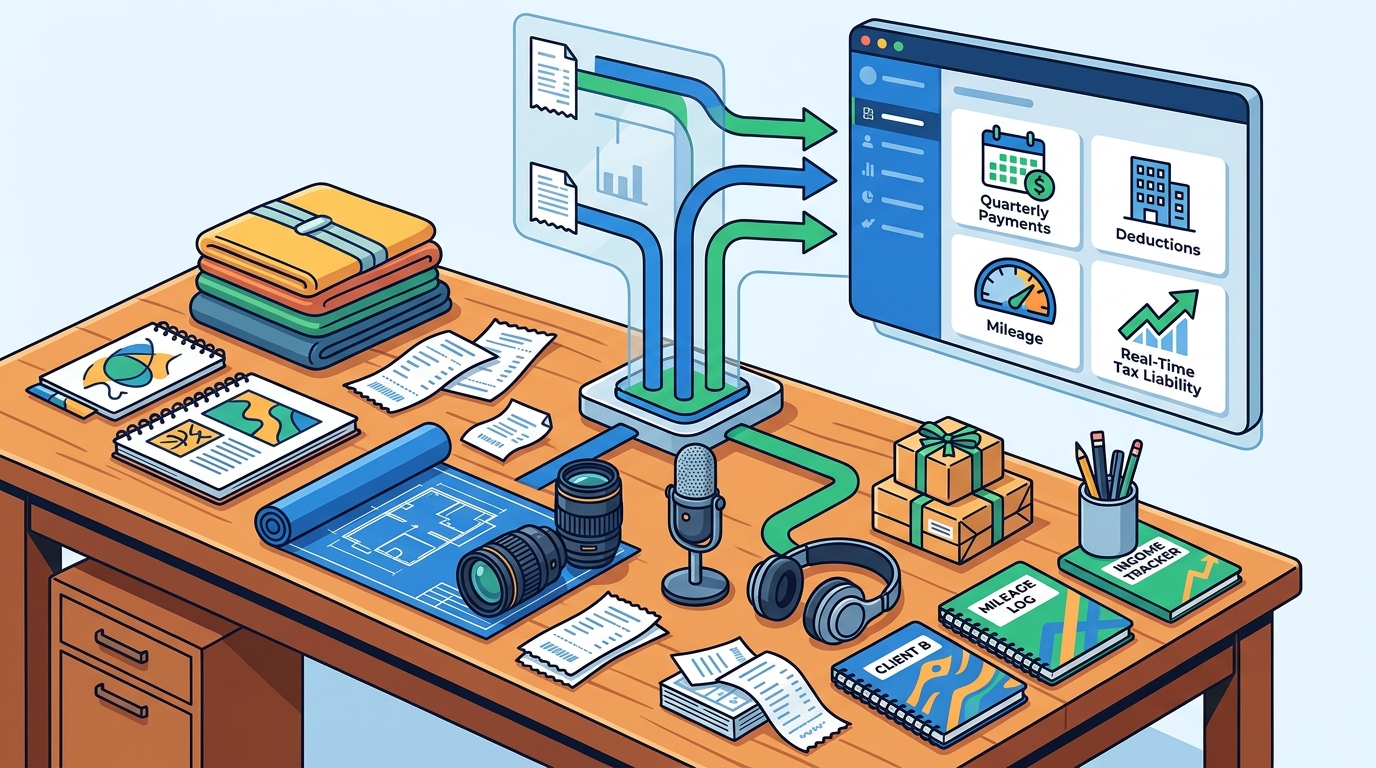
The application offers a three-step routine that takes minutes a week. First, you track what comes in and goes out by logging income and recording expenses manually or via automated uploads. Second, you see your real-time tax estimate, which combines year-to-date data with projection methods like Flat Growth or Month-to-Month seasonal adjustments. Finally, you pay each quarter with confidence, as the app tracks what you have already paid against IRS deadlines.
For those managing complex assets, SnapTax includes an asset depreciation tracker. This feature handles Section 179 and bonus depreciation automatically for equipment and vehicles, ensuring you maximize your write-offs without manual calculation errors. You can learn more about these specific deductions by visiting our asset depreciation guide.
Pricing and Feature Comparison
Cost is a significant factor for freelancers who are already managing cash flow. The market offers a range of pricing models, from free tiers with limited functionality to premium plans with advanced automation. Below is a comparison of the primary tiers offered by SnapTax, which represents a competitive landscape in the freelancer tax software market.
| Plan Name | Monthly Cost | Key Features | Best For |
|---|---|---|---|
| Starter | $4.99 | Manual logging, quarterly estimates, TurboTax export | Simple income streams |
| Builder | $19.99 | AI categorization, P&L reports, mileage tracking | Growing freelancers |
| Optimizer | $39.99 | Itemized deductions, QBI, home office, retirement | Complex tax situations |
The Starter plan is free for 30 days, allowing you to test the interface before committing. The Builder plan adds bank statement uploads and AI categorization, which sorts transactions into Schedule C categories automatically. For those with more complex financial profiles, the Optimizer plan unlocks itemized deductions, Qualified Business Income (QBI) tracking, and retirement planning tools. You can explore these options further on our pricing page.
Essential Features to Look For
When evaluating tax planning apps, prioritize features that reduce manual entry and increase accuracy. The following capabilities are critical for modern freelancers.
AI Expense Categorization
Manual categorization is time-consuming and prone to error. Top-tier apps use AI to sort transactions from uploaded bank statements (CSV, PDF, OFX) into the correct Schedule C categories. This ensures that every deductible expense is captured correctly, reducing your taxable income accurately.
Mileage Tracking
For rideshare drivers and delivery workers, mileage is a major deduction. SnapTax offers GPS-based business mileage tracking with IRS-compliant audit logs. This feature automatically records business trips, eliminating the need for manual logbooks and providing defensible data in case of an audit.
Receipt Management
Lost receipts are a common source of stress during tax season. Effective apps allow you to snap, email, or upload receipts. Optical character recognition (OCR) extracts the vendor, amount, and date automatically, storing them securely in the cloud. This ensures you never lose a critical document again.
Software Integration and Export
Your tax software must integrate seamlessly with your existing workflow. This includes exporting data to your preferred tax preparation software or sharing reports with your CPA. SnapTax supports TurboTax export in TXF format for one-click import, simplifying the final filing process. Additionally, the app generates monthly and annual Profit & Loss (P&L) statements that are ready for your CPA or tax professional.
Understanding how to avoid penalties is crucial for long-term compliance. You can read our detailed guide on avoiding IRS quarterly tax penalties to ensure you stay on the right side of the law.
Key Takeaways
- Real-Time Liability: The best apps provide real-time federal and state tax projections based on current IRS tables, not just historical data.
- AI Automation: Look for AI expense categorization to reduce manual entry time and improve accuracy of Schedule C deductions.
- Quarterly Tracking: Effective software tracks quarterly payments against IRS deadlines to prevent underpayment penalties.
- Flexible Pricing: Plans range from $4.99/month for basic needs to $39.99/month for comprehensive deduction tracking.
- Export Capabilities: Ensure the app exports data in TXF format for seamless TurboTax integration.
- Mileage & Receipts: GPS mileage tracking and OCR receipt management are essential for gig workers and consultants.
- Asset Depreciation: Automated handling of Section 179 and bonus depreciation is critical for freelancers with significant equipment.
Frequently Asked Questions
What is the best tax planning app for freelancers?
SnapTax is widely considered one of the best options for freelancers because it is built specifically for 1099 workers. It offers real-time tax estimates, AI expense categorization, and seamless TurboTax export, addressing the unique needs of independent contractors.
How does SnapTax calculate what I owe?
SnapTax combines actual year-to-date income and expenses with one of three projection methods for the remaining months: Flat Growth, Growth Adjusted, or Month-to-Month seasonal projections. It then applies current 2026 federal and state tax tables to determine your estimated liability.
Is SnapTax free to use?
SnapTax offers a free Starter plan for the first 30 days. After that, the Starter plan costs $4.99/month. The Builder plan is $19.99/month, and the Optimizer plan is $39.99/month, offering progressively advanced features for complex tax situations.
Can I use SnapTax if I am a rideshare driver?
Yes. SnapTax is built for independent contractors, including rideshare drivers. It includes a GPS-based mileage tracker with IRS-compliant audit logs, which is essential for claiming vehicle deductions accurately.
Does SnapTax help with quarterly tax payments?
Yes. Before every IRS estimated-payment deadline, SnapTax shows the amount due, tracks what you have already paid, and keeps a full payment history. This ensures you meet your quarterly obligations and avoid penalties.
Can I export my data to TurboTax?
Yes. SnapTax allows you to export your Schedule C data in TXF format. This enables a one-click import into TurboTax, making the final filing process much faster and more accurate.
What is the Freelancer Tax Problem?
The freelancer tax problem refers to the difficulty of estimating and paying taxes four times a year without automatic withholdings. Missing a deadline or underpaying can result in interest and penalties. SnapTax solves this by providing real-time visibility into your tax liability.
Does SnapTax support home office deductions?
Yes. The Optimizer plan at $39.99/month unlocks tracking for home office expenses, along with itemized deductions, QBI, retirement, and capital gains tracking.
Start Your Tax Planning Today
Don't wait until April to figure out your tax situation. Take control of your finances with a tool designed for the realities of freelance work. Sign up for a free trial on SnapTax and start tracking your income, deductions, and tax liability in real time. Visit our contact page if you have questions about which plan is right for you.